CygNet provides warnings when Client Access License (CAL) issues are discovered in your system.
Note: The activation and licensing nag bar does not show in CygNet Vision. The nag bar still appears in other CygNet clients.
When you use a CygNet client, a notification bar will appear if Client Access License (CAL) issues are detected. The notification bar appears in either yellow or red, depending on the nature of the issue.
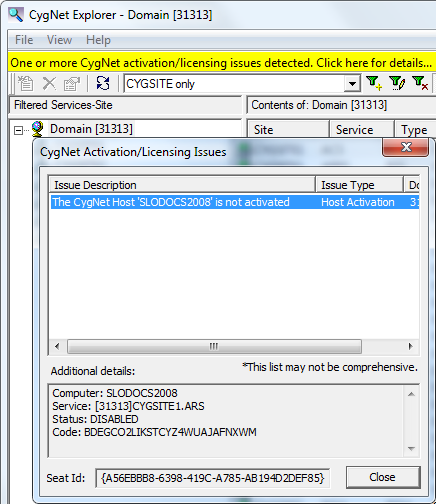
A yellow notification bar will be displayed if the CAL for the workstation is temporary or has been locked.
Click the yellow bar to access the CygNet Activation/Licensing Issues dialog box, which provides detailed information about the licensing issue(s) encountered.
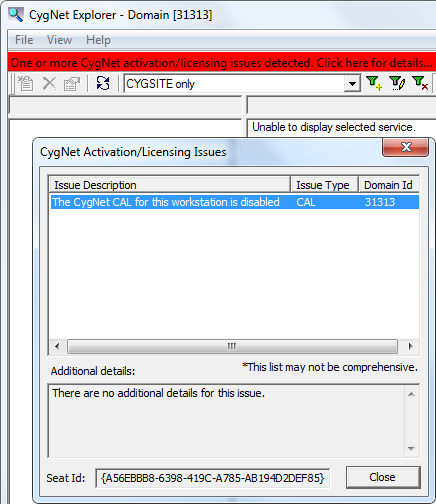
An escalated red notification bar will be displayed if the CAL is disabled or expired, and no data will be presented in the application.
Click the red bar to access the CygNet Activation/Licensing Issues dialog box, to view detailed information about the state of the CAL for the workstation.
If you encounter either of these notification bars, contact your CygNet Administrator about updating the CAL for your workstation.

|
|
|

